
FrogView
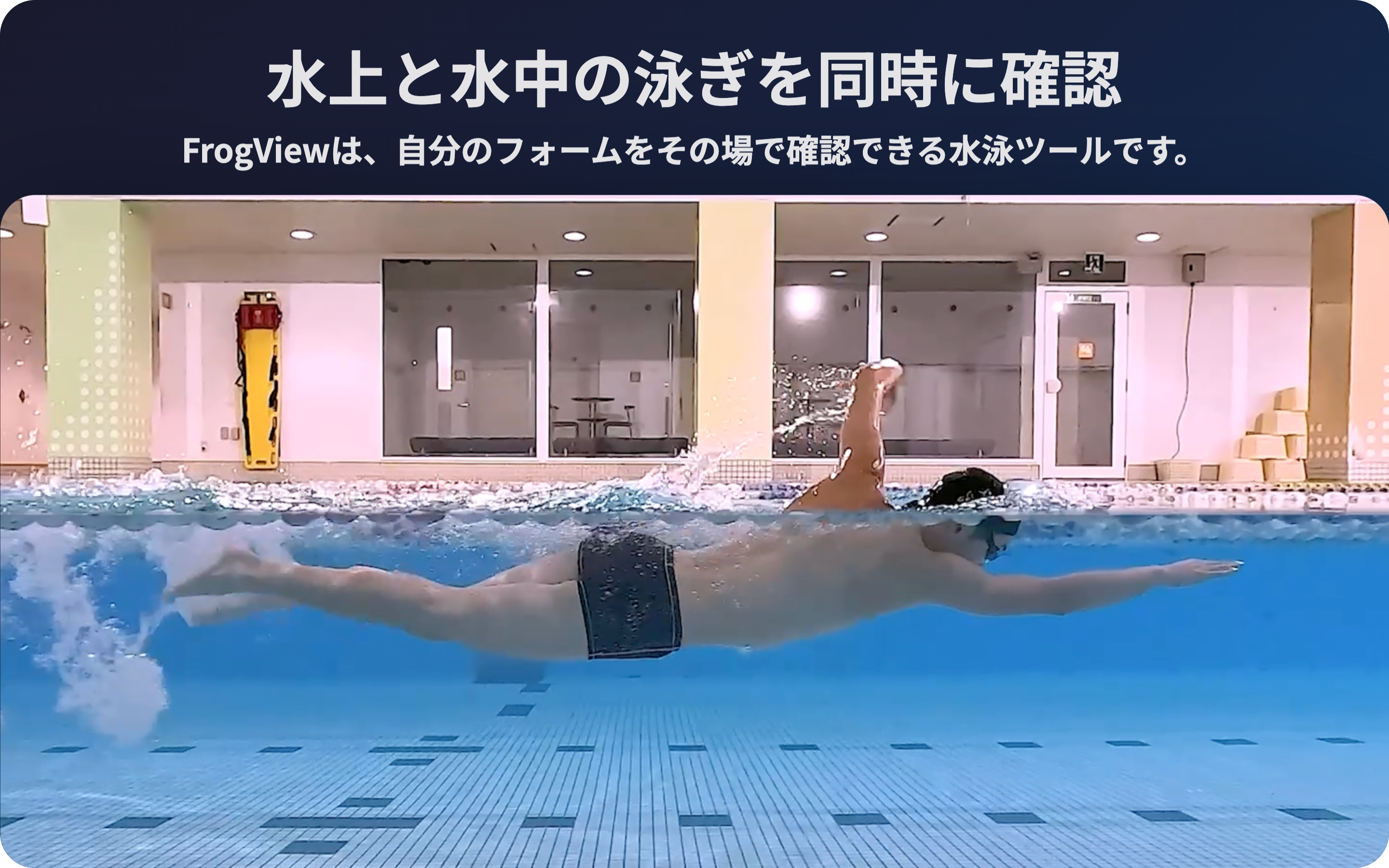
Compare above-water and underwater swim form in sync
macOS 13 or later. Developer ID signed and Apple notarized.
By downloading or starting to use FrogView, you agree to the Terms and Privacy Policy.
Start Pro inside the app. 14-day free trial, then ¥1,980/month or ¥15,800/year. Cancel anytime.
Try it even without your own footage
Download the official above-water and underwater sample video set. Enter your email to reveal a link you can use to test FrogView immediately.
Update
- The Waterline Height and Person Height sliders now have a wider adjustment range.
- FrogView now keeps an activity record for troubleshooting only on your Mac. It is never sent anywhere.
Preview
App Information
FrogView is a Mac app for compositing above-water and underwater videos vertically so swim form is easier to review.
By comparing the view from above the water and the movement under the water in one screen, coaches can check posture, timing, kick, entry, breakout, and other details more clearly.
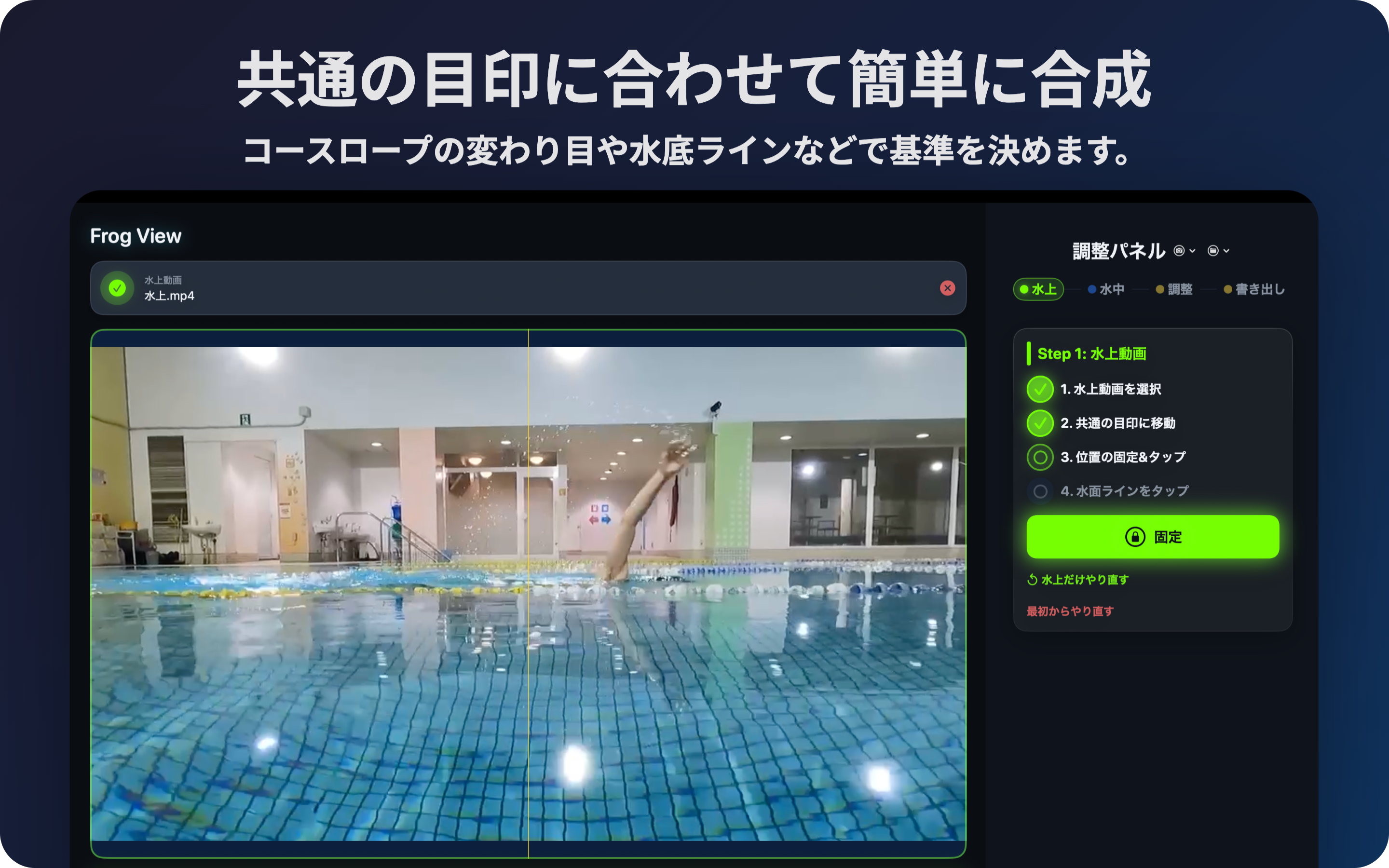
The workflow is simple. Load the above-water and underwater videos, lock the alignment using a shared visual marker, set the waterline, and review the composited video.
It is useful when coaches want to show swimmers feedback on deck or export a review video after practice.
Main features:
- Load above-water and underwater videos
- Align videos using a shared marker
- Set the waterline
- Preview the vertical composite
- Export videos
- Unlimited playback with Pro
- Trim range selection with Pro
- Markers with Pro
- High-quality export with Pro
- Project save / restore with Pro
The free version lets you review the first 3 minutes of a video pair, and exports include a watermark. A FrogView Pro subscription unlocks unlimited review, Step 4 trimming, and high-quality watermark-free export.
FrogView is made for swim coaches, swim schools, swimmers, parents, and anyone who wants to review swim form clearly.
App Privacy
Show DetailsThe app itself does not collect videos or analysis data. Purchases are handled through Stripe Checkout.
Data Not Collected
Imported footage, alignment settings, and exported files are handled on the Mac.
Recommended computer specs
FrogView loads two videos at the same time, previews them in sync, and exports a composited MP4. It may run on lower-spec machines, but preview smoothness and export time depend heavily on computer performance.
| Item | Minimum guideline | Recommended |
|---|---|---|
| Mac | macOS 13 or later / Apple Silicon or Intel Mac / 8 GB RAM | Apple Silicon M1 or later, or Intel Core i7 or better / 16 GB RAM or more / 10 GB free SSD space |
| Windows planned version | Windows 10/11 64-bit / 4-core CPU / 8 GB RAM / FFmpeg support | Intel Core i5 or Ryzen 5 or better / 16 GB RAM or more / SSD / modern integrated GPU or dedicated GPU |
| 4K footage | May work for short clips | 32 GB RAM or more / 20 GB free SSD space / converting to 1080p first is also recommended |
Long videos, 4K footage, and older HDD-based computers can take much longer to export. For important on-deck use, test with sample videos beforehand.
Accessibility
FrogView is built on standard macOS controls with a keyboard-friendly layout. Additional accessibility details will be reflected in future updates.
Information
Copyright © 2026 Aso Infinity Farm LLC. All rights reserved.